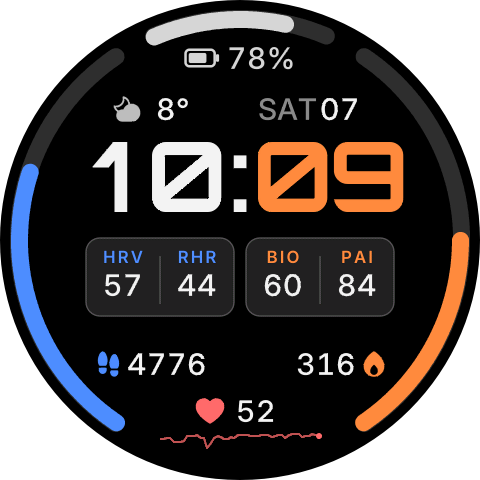
BSF Dash
Round watchface with arc metrics, weather, battery and always-on clock for 480 and 466 screens; the 480 package covers the 480 round ZPS models, and the first generation Balance still needs its own CPU package
Installable Zepp OS watch faces. Scan a face's QR code with the Zepp app to install it.
Round watchface with arc metrics, weather, battery and always-on clock for 480 and 466 screens; the 480 package covers the 480 round ZPS models, and the first generation Balance still needs its own CPU package
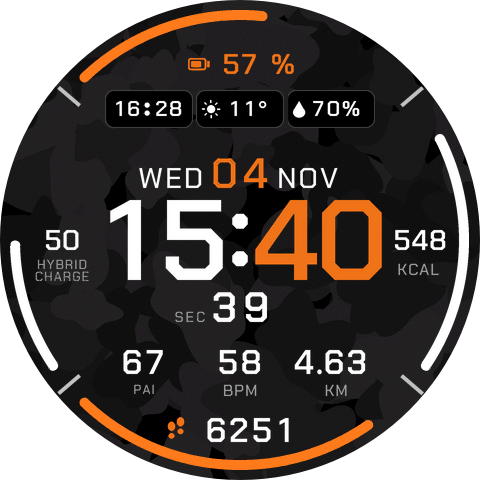
Confirmed glyph clock and date with native bottom readouts, calorie, hybrid charge, battery and step arcs, a top row of battery, weather and humidity chips and a bottom step count
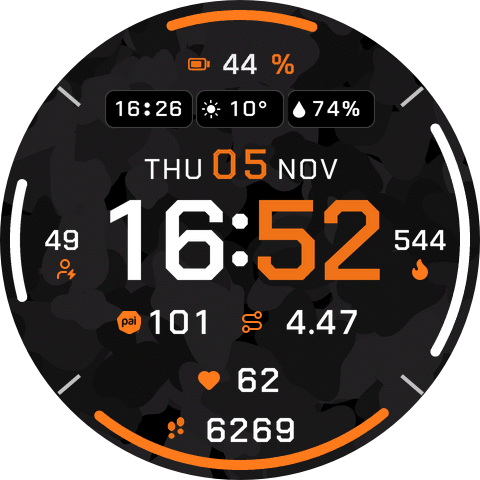
Confirmed glyph clock and date with native bottom readouts, calorie, hybrid charge, battery and step arcs, a top row of battery, weather and humidity chips and a bottom step count